 OsdagBridge
Open-source steel bridge analysis, design, and graphics
OsdagBridge is a cross-platform free and open-source software for the analysis and design of steel girder bridges, following the Indian Standards (IS) and Indian Road Congress (IRC) guidelines.


Why OsdagBridge
A single core, reused everywhere — consistent results across every interface.
Shared Core Architecture
All numerical logic and I/O live once in osdagbridge.core, reused identically by the desktop GUI, web app, and CLI.
Modular Bridge Types
Plate girder bridges today, with box girder and truss types planned through a pluggable bridge-type architecture.
Reusable Components
Girders, decks, crash barriers, piers, pier cap, and pile caps shared across bridge types.
Multi-Solver Analysis
Switch between a native lightweight FEM solver, OpenSeesPy, and OspGrillage at runtime via adapters.
Indian Standards Built In
IRC:6–2017, IRC:22–2015, and IRC:24–2010 load models, combinations, material factors, and code checks.
Desktop Application CLI & Web Soon
Use the PySide6 desktop app today, with headless CLI automation and Django + React web interfaces coming in future updates.
IFC Export
Export the designed bridge model to IFC for interoperability with BIM tools and downstream CAD workflows.
Report Generation
Generate design reports with a full bill of quantities alongside detailed calculation output.
See it in action
Screenshots of the Template page, 3D CAD and plots
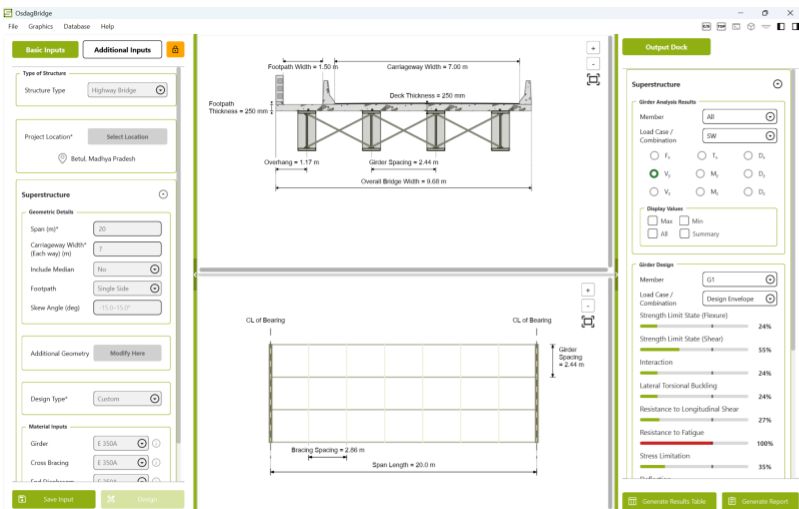 Template Page
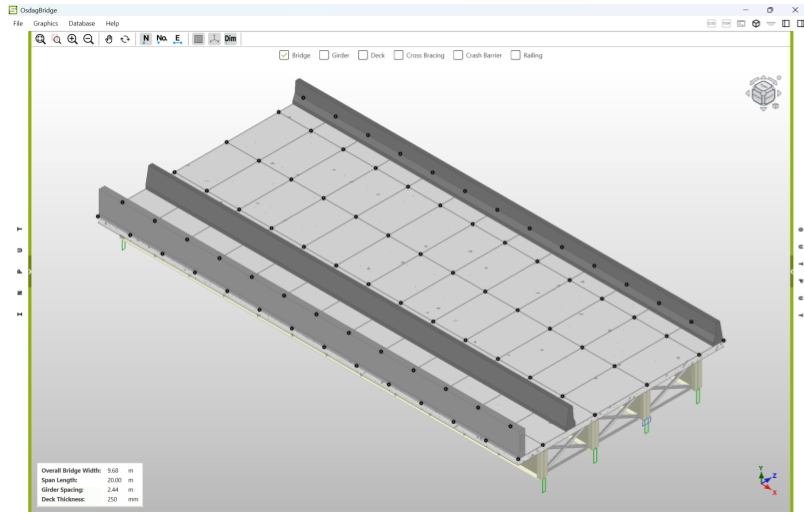 3D CAD Model
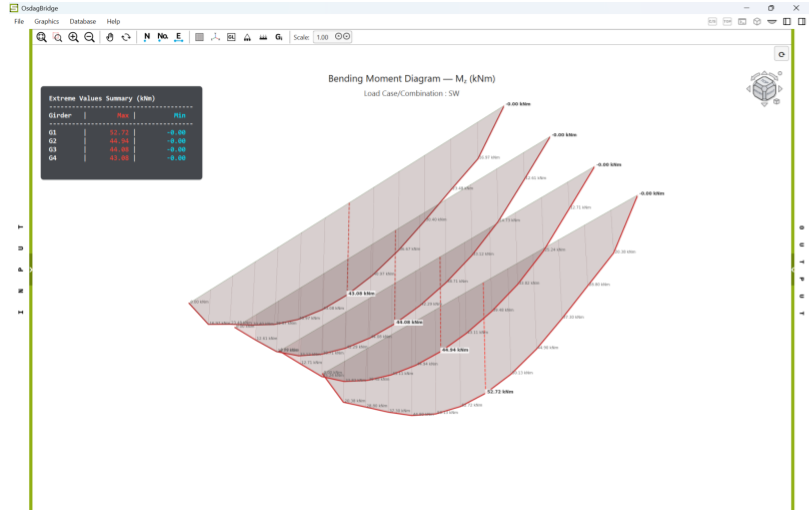 Analysis Plots
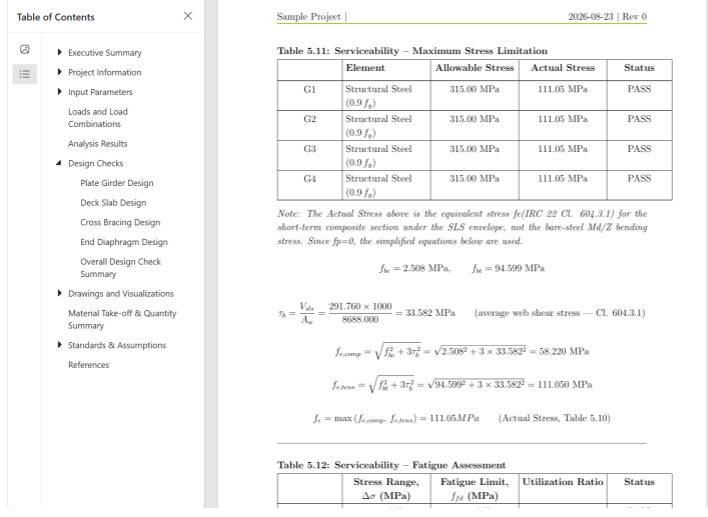 Report Preview
Install OsdagBridge
Grab the installer for your platform, or build from source.
Windows
Download and run the .exe installer — no Python setup required.
Full walkthrough, prerequisites, and troubleshooting on the Installation page.